
Groups
Groups let you treat several modules as one logical part of a Space. They are useful for organisation, moving related modules together and building larger instruments from smaller functional blocks.
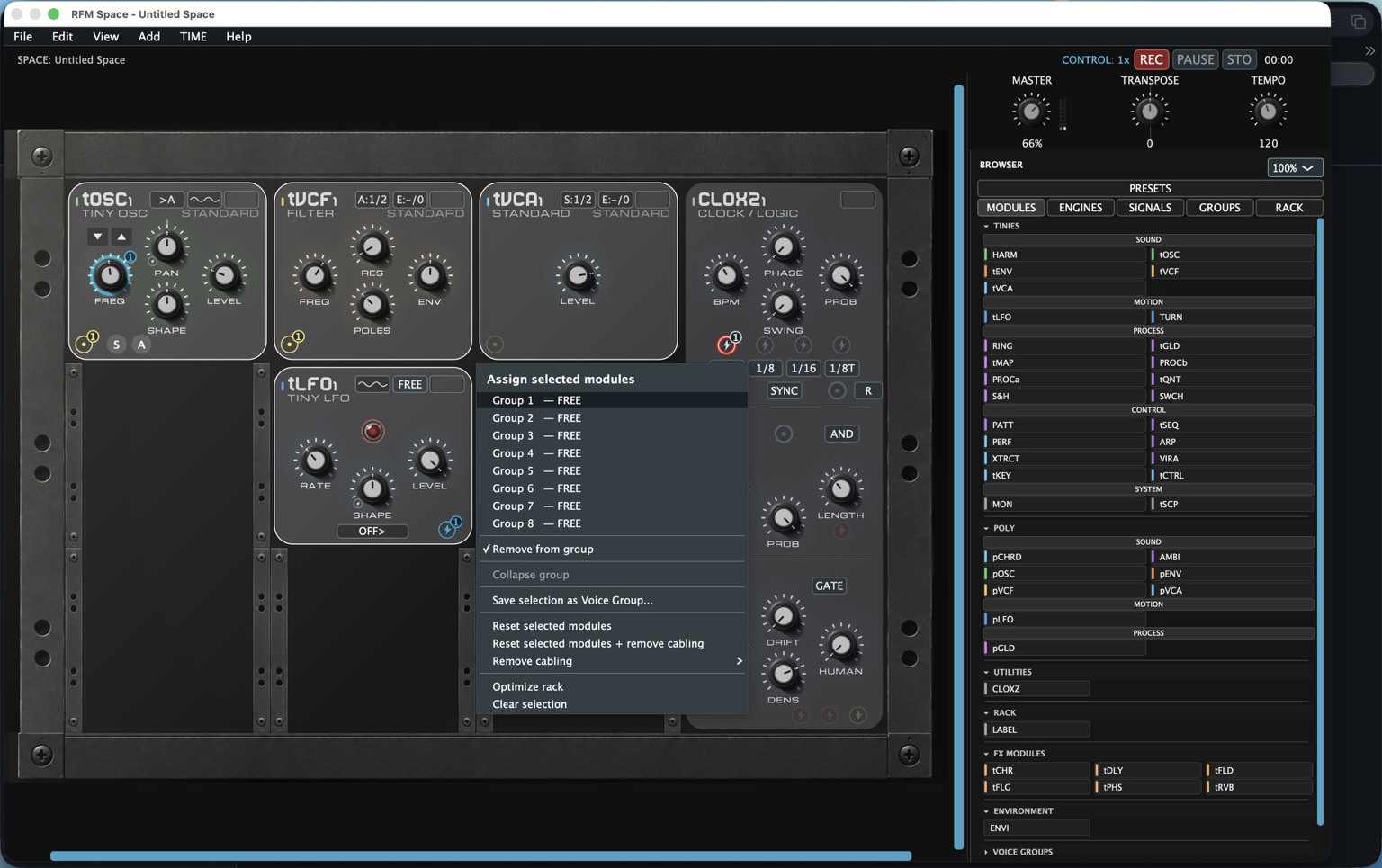
Creating a group
Select the modules that belong together and use the group assignment command. The menu shows the available group slots and whether a group is already occupied. This makes it possible to build the structure of a Space deliberately instead of relying only on physical rack position.
What belongs together?
A classic example is an oscillator, filter, envelope and VCA that together form one voice. A more elaborate group might contain a complete sequenced instrument or a processing chain. The useful question is not “how many modules can I group?” but “which modules do I want to think of as one unit?”
Groups are not audio connections
Grouping modules does not magically route their audio or modulation. It organises modules; routing still determines how signals actually travel. Keeping those concepts separate avoids a lot of confusion.
Working with selections
The same selection menu also gives access to operations such as reset, cabling removal, rack optimisation and saving a selection as a Voice Group. This makes multi-selection useful beyond grouping alone.
Next: MIDI & MPE.